

My favourite MCPs: Context7
Large language models are great at sounding confident, but they don’t always know how your libraries and software really. Context7 bridges that gap.

Context7 MCP is like giving Claude the latest instruction manuals and sticky-note bookmarks for every library you use, so it stops guessing and starts reading the real docs before it writes code. This is super useful when you add more tools to your AI and you don’t necessarily want to spend time training it how to do everything.
What Context7 MCP actually does
LLMs like Claude are trained on a snapshot of the internet, so their knowledge of libraries and APIs is often old, vague, or just wrong.
Context7 connects your AI assistant to live, version-specific documentation and real code examples pulled straight from the official source.
Through MCP, Claude (or Cursor, VS Code, etc.) can call Context7 as a tool, ask “show me the docs for X,” and get only the relevant snippets injected into its context.
In human terms: instead of Claude “remembering” how a library _might_ work, it opens the actual docs on demand.
Why this matters for non-experts
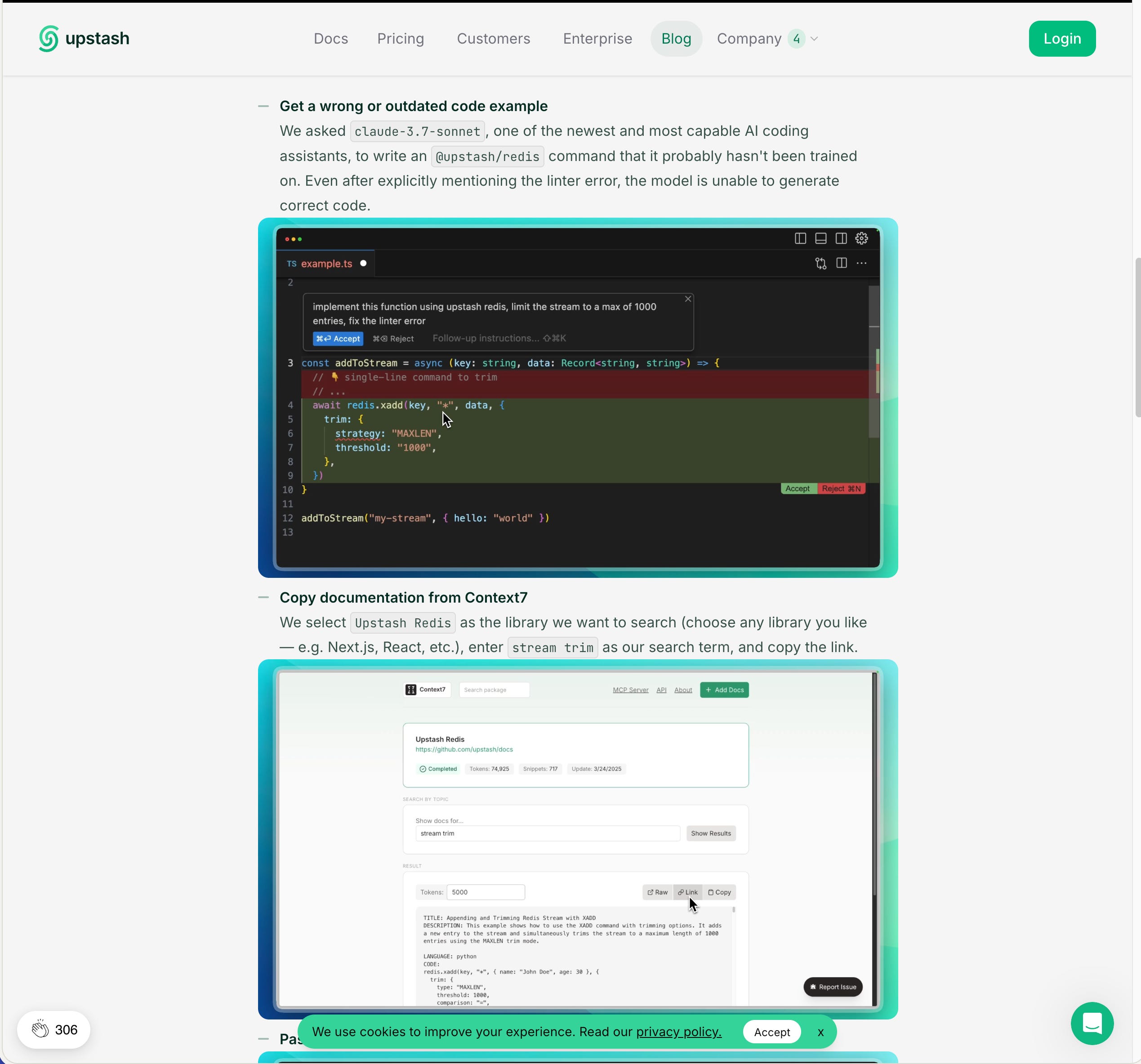
Without Context7: Claude is like a smart friend who once read an old version of the manual and now “just guesses” how the buttons work. That’s where hallucinated methods and outdated examples come from.
With Context7: every time you ask for help with a library, it quietly goes to the official docs, grabs the most relevant, up-to-date examples, and then answers you based on that.
So instead of:
“Why did Claude invent this function that doesn’t exist?”
“Why doesn’t this code compile on my version?”
…you get code that matches your real libraries and actually runs.
Why I like it in my setup

It stops Claude from hallucinating APIs by forcing it to read the real docs first. While that might not sound like such a big deal, it’s been my experience that LLM performance varies from model to model
It understands my exact versions, not some random GitHub issue from three years ago.
I don’t have to alt‑tab through docs; I just say “use context7” and the assistant pulls in the right snippets automatically.
Because it’s MCP-based, it plugs into tools I already use (Claude Desktop, Cursor, Windsurf, VS Code) with one setup and shared config.
Context7 is the thing that makes sure Claude actually reads the manual for the tools I’m using, instead of winging it.
Case in point - I started asking Claude to use some software that was already on my Mac this week. Of the two apps, only the newest didn’t have documentation available on Context7, so I had to round it up myself and put it into a knowledge repository. The other one, however, took mere minutes for Claude to ingest everything about how it worked.
Another great thing about this is that I probably don’t know half of the really powerful stuff that the software on my computer can do. With Context7, I don’t have to worry about that so much. I can tell Claude what my expected outcome is and then tell it to explore the tools and documentation on hand to see what the best way forward is. Or one step better, I can point it at past work I’ve done, and ask if it can see streamlined ways I could have achieved the same results.
Large language models are great at sounding confident, but they don’t always know how your libraries and apps really work. Their training data might be old or incomplete, so they sometimes invent functions or show examples that don’t match your setup.
Context7 fixes that by acting like a live manual reader for my AI assistant: whenever I ask about a package, it fetches the latest official docs and code samples for that exact version and feeds them into Claude. The result is simple: less “AI guesswork,” and more code that actually compiles.
And guess what? It’s free for use, making this an absolute no-brainer to add to any project that requires you need up-to-date documentation to rely on.
What's an MCP Server, anyway?

An MCP server is the bit of software that lets your AI “second brain” actually touch your real tools instead of just talking about them. It’s the standardized plug that connects a chat window to thin…